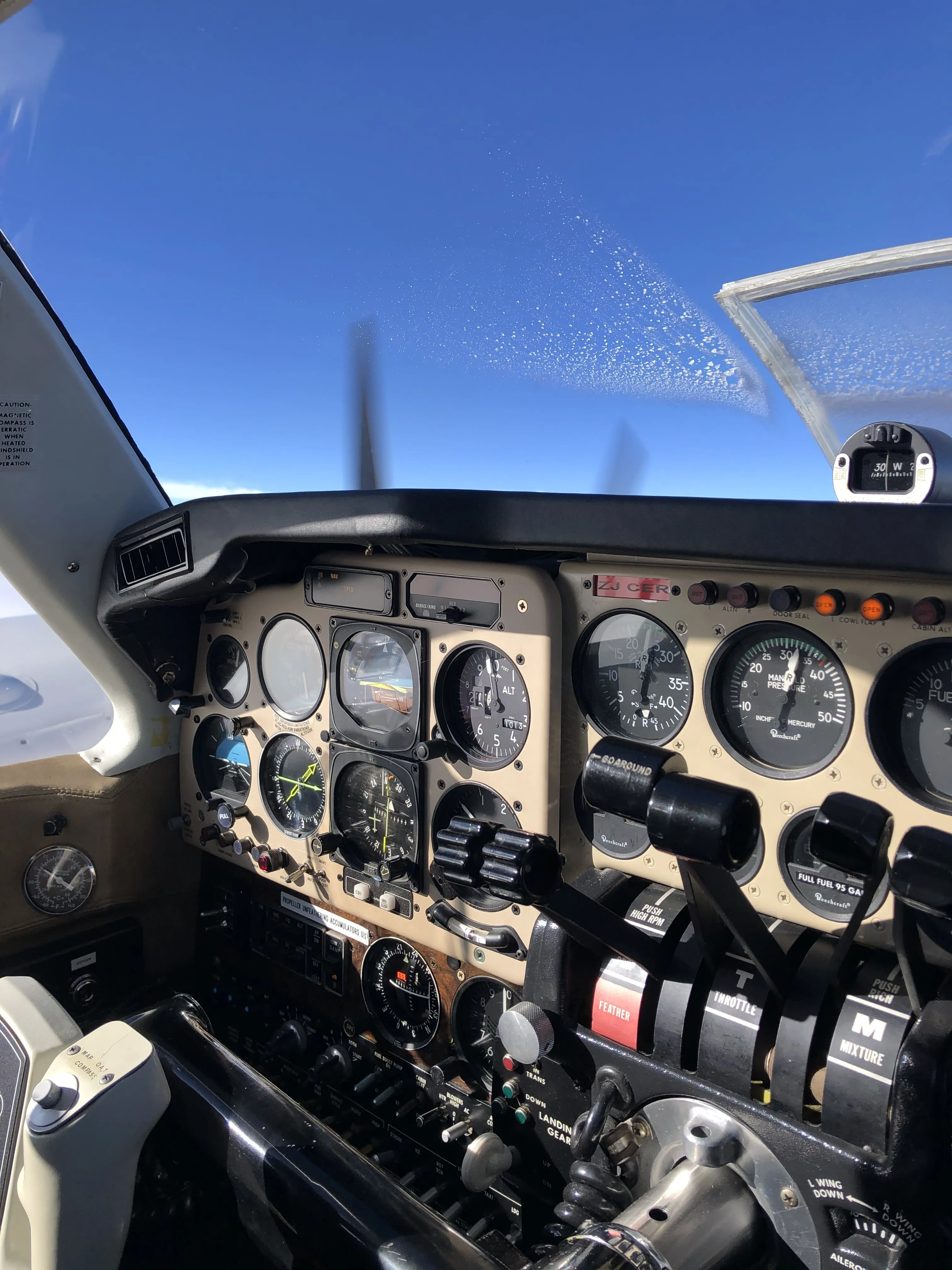
14 CFR 61.51 only requires you to log the flight time you use to meet a certificate, rating, flight review, or recent-experience requirement. Each of those entries needs the date, total time, departure and arrival points, aircraft identification, type of experience or training, and flight conditions.
You land after a VFR flight around the coast. There was no training, checkride preparation, or currency requirement involved. You open your logbook anyway, although the FAA may not require you to record that flight.
Most pilots are surprised to learn this. We’re taught from day one to log everything, and most of us do. But the FAA’s logbook regulation is far more permissive than pilots assume. Understanding what’s actually required, and what’s just good practice, helps you keep a cleaner, more purposeful logbook.
TL;DR
- The FAA requires logging when time supports a certificate, rating, flight review, or recent-experience requirement. Logging every flight is still good practice.
- A required entry includes the date, total time, locations, aircraft or training-device identification, flight conditions, and any required safety-pilot or instructor details.
- Logging PIC and acting as PIC are different concepts. The sole-manipulator rule is one of several ways a pilot may log PIC under 14 CFR 61.51(e).
- Currency records need enough detail to prove compliance, including landing counts, approach types and locations, and the correct night window.
- Part 61 does not require a paper format. Electronic records are acceptable when they contain the required information and can be presented to the FAA.
What 14 CFR 61.51 Actually Requires
The FAA’s logbook regulation lives in 14 CFR 61.51, titled simply “Pilot logbooks.” The opening paragraph sets the tone for the entire regulation:
“Each person must document and record the following time in a manner acceptable to the Administrator: (1) Training and aeronautical experience used to meet the requirements for a certificate, rating, or flight review; (2) The aeronautical experience required for meeting the recent flight experience requirements of this part.”
Read that carefully. The FAA only mandates logging when you need to prove something: either that you’ve met the requirements for a certificate, rating, or flight review, or that you’re current under the recent experience rules of 14 CFR 61.57.
There is no blanket requirement to log every flight you make. A private pilot who completed training, holds no instrument rating, and flies with three passengers on a Sunday afternoon does not technically need to log that flight unless it contributes to a currency requirement such as the 90-day landing rule.
Should you log everything anyway? Absolutely. Your logbook is your career record, your proof of experience, and your first line of defense in any FAA inquiry. But knowing the difference between “required” and “recommended” helps you understand what the regulation actually says versus what flight school tradition has taught you.
Required Logbook Entries
When you do log a flight, whether because it’s required or because it’s good practice, 14 CFR 61.51(b) spells out what each entry must contain:
| Field | What to Record |
|---|---|
| Date | Date of the flight or lesson |
| Total flight time | Total duration of the flight or lesson |
| Departure and arrival | Location of departure and arrival (or location of lesson for simulator training) |
| Aircraft type and ID | Type and identification of aircraft, simulator, or training device |
| Safety pilot | Name of safety pilot, if required under 14 CFR 91.109 |
| Pilot experience type | Solo, PIC, SIC, or flight training received |
| Flight conditions | Day or night, actual or simulated instrument conditions, use of night vision goggles |
Notice what’s not on this list: route of flight details beyond departure and arrival, the name of the PIC (unlike EASA), or the number of landings. The FAA’s required fields are surprisingly minimal compared to EASA’s 12-column AMC1 format.
That said, logging additional detail (number of landings, approaches flown, specific maneuvers practiced) is smart practice. Your logbook entries for currency purposes need to be specific enough to demonstrate compliance, and an entry that says “3 landings” is far more useful than one that doesn’t mention landings at all.
Time Categories the FAA Recognizes
Under 14 CFR 61.51, the FAA breaks flight time into distinct categories. Each has its own logging rules and restrictions.
Pilot-in-Command Time (61.51(e))
This is where the FAA differs most dramatically from other authorities. The main §61.51(e) paths for logging PIC time include:
- You are the sole manipulator of the controls of an aircraft for which you hold the appropriate category, class, and type rating (if required)
- You are the sole occupant of the aircraft, or you are a student pilot meeting the solo-flight conditions in §61.51(e)(4)
- You are acting as PIC of an aircraft that requires more than one pilot by type certification or regulation, subject to the certificate limits in §61.51(e)
- You perform PIC duties under an approved PIC-under-supervision program that meets §61.51(e)(1)(iv)
- You are an ATP acting as PIC in an operation requiring an ATP certificate
- You are a flight instructor serving as the authorized instructor in a flight, provided you are rated to act as pilot in command of that aircraft
Under the FAA, sole manipulator can equal PIC time, even when you are not acting as pilot-in-command, as long as you are rated for the aircraft. In an operation where more than one pilot is required, the acting PIC may log PIC under one rule while another rated pilot logs PIC for the portion they flew as sole manipulator.
EASA has no general “sole manipulator” PIC logging rule. If you fly under both systems, you need to keep that distinction clear.
Second-in-Command Time (61.51(f))
You can log SIC time when you meet one of the §61.51(f) paths: for example, when you are qualified under the SIC requirements and occupy a crewmember station in an aircraft that requires more than one pilot by its type certificate, or when you hold the required category, class, and instrument rating if applicable and more than one pilot is required by the type certificate or the regulations under which the flight is conducted.
A key subtlety: §61.51 requires the name of a safety pilot when one is required under §91.109, and §61.51(f) allows SIC logging when more than one pilot is required by the regulations and the pilot meets the applicable rating requirements.
Instrument Time (61.51(g))
You log instrument time only when you operate the aircraft solely by reference to instruments under actual or simulated instrument flight conditions. For currency purposes under 61.57(c), you also need to record:
- The location and type of each instrument approach completed
- The name of the safety pilot (if under simulated conditions)
Solo Time (61.51(d))
Solo time can only be logged when you are the sole occupant of the aircraft. If anyone else is on board, that time is not solo time under §61.51(d).
Training Received (61.51(h))
When you receive training from an authorized instructor, the instructor must endorse the entry with a description of the training, the lesson length, and their signature, certificate number, and certificate expiration date (or recent experience end date). This isn’t optional. Unsigned training entries don’t count toward certificate requirements.
The FAA PIC Rule That Confuses Everyone
The sole manipulator rule under 14 CFR 61.51(e)(1)(i) often causes confusion, especially for pilots who also fly under EASA.
Under FAA rules, “logging PIC” and “acting as PIC” are two separate concepts. Only one person is acting as PIC for operational responsibility, but multiple people can log PIC time simultaneously if each meets a separate §61.51(e) logging path.
Example: A captain and first officer fly an aircraft that requires two pilots. The captain is acting PIC for the flight. The first officer is rated for the aircraft and hand-flies one hour as sole manipulator. During that hour, the captain may log PIC as the acting PIC of an aircraft requiring more than one pilot, and the first officer may log PIC as sole manipulator of an aircraft for which they are rated.
Under EASA, the same hand-flying hour would not automatically become PIC time. EASA has specific PIC logging cases, including designated PIC, solo, instructor/examiner time, SPIC, PICUS, successful checks with countersignature, and certain PIC-under-supervision cases. There is no general “sole manipulator” concept.
If you hold both FAA and EASA licences, keep your logbooks consistent with each system’s rules. What counts as PIC under the FAA may not count under EASA, and mixing the two will create problems during licence validation or airline applications.
For a detailed comparison, see our guide on EASA pilot logbook requirements.
Electronic Logbooks: What the FAA Says
The Part 61 logbook text is format-neutral. It does not prescribe a paper logbook; it says required time must be documented and recorded in a manner acceptable to the Administrator.
Your electronic logbook needs to meet the same practical standard as a paper one: the records must be accurate, legible, and presentable when required. In practice, this means you should be able to produce a printed or PDF version of your logbook if an FAA inspector or examiner asks for it.
A few practical considerations:
- Backups matter. The FAA won’t accept “my app crashed” as an excuse for missing records. Choose a logbook that syncs to the cloud and allows data export.
- Instructor endorsements still matter. If training time is involved, the entry needs the required instructor endorsement details from §61.51(h).
- Data portability is your responsibility. Make sure you can export your records in a standard format (CSV or PDF) so you’re never locked into a single platform.
For more on the paper versus digital decision, see our complete comparison.
If you are choosing an electronic logbook, compare pilot logbook apps by FAA exports, backups, data portability, platforms, and recurring cost before moving your records.
Currency Requirements and Your Logbook
Your logbook isn’t just a historical record. It’s the primary proof that you’re current and legal to fly. Several FAA regulations tie pilot privileges directly to logbook entries.
90-Day Landing Currency (61.57(a))
To carry passengers, or to act as PIC of an aircraft certificated for more than one pilot flight crewmember, you need 3 takeoffs and 3 landings within the preceding 90 days in an aircraft of the same category, class, and type (if a type rating is required). For tailwheel aircraft, those landings must be to a full stop.
Night Passenger Currency (61.57(b))
To carry passengers at night, you need 3 takeoffs and 3 full-stop landings during the period from 1 hour after sunset to 1 hour before sunrise within the preceding 90 days. Do not treat a generic “night” logbook entry as enough proof by itself. The entry needs to show that the required full-stop landings happened inside the §61.57(b) currency window. For more on how night time works, see our guide on how night time is actually calculated.
Instrument Currency (61.57(c))
To fly under IFR as PIC, within the preceding 6 calendar months you need:
- 6 instrument approaches
- Holding procedures
- Intercepting and tracking courses through the use of navigational electronic systems
If you no longer meet §61.57(c), you cannot act as PIC under IFR or in weather below VFR minimums until you regain currency. Once you have failed to meet the instrument experience requirements for more than six calendar months, you can reestablish instrument currency only through an instrument proficiency check (IPC).
Your logbook entries must be specific enough to demonstrate compliance. Generic entries like “1.5 hours IFR” aren’t sufficient. You need to record the type and location of each approach.
Flight Review (61.56)
Every 24 calendar months, you need a flight review consisting of at least 1 hour of flight training and 1 hour of ground training. Your instructor signs your logbook upon satisfactory completion. No signature, no flight review credit.
Common Mistakes Pilots Make
Not logging enough detail for currency
Your logbook entry for a night flight needs to show that you made full-stop landings during the currency window (1 hour after sunset to 1 hour before sunrise). An entry that just says “night” with no landing count or time specifics won’t hold up to scrutiny.
Confusing “logging PIC” with “acting as PIC”
These are different things. You can log PIC without being the acting PIC under the sole-manipulator rule, but only if you meet the rating requirements in §61.51(e). Acting as PIC, operational responsibility, and logging PIC time are related concepts, not interchangeable labels.
Missing instructor endorsements
Training entries without a proper instructor endorsement (signature, certificate number, and certificate expiration date or recent experience end date) don’t count toward certificate requirements. If your instructor signed but forgot the certificate number, that entry is technically incomplete.
Not logging instrument approaches specifically
For IFR currency, “flew the ILS 28R at KSFO” is what the FAA wants to see. “Instrument approach” without the type and location doesn’t demonstrate compliance with 61.57(c).
Logging SIC in single-pilot aircraft
You can only log SIC time when more than one pilot is required, either by the aircraft’s type certificate or by the regulations under which the flight is conducted. Simply sitting in the right seat of a single-pilot airplane doesn’t qualify.
If a safety pilot is required under 14 CFR 91.109, §61.51 requires that safety pilot’s name in the logbook. SIC or PIC logging still depends on the §61.51(f) or §61.51(e) criteria being met, including the required ratings and whether more than one pilot is required by the regulations for that flight.
Rounding errors over time
The FAA doesn’t mandate a specific rounding method, but be consistent. If you round to the nearest tenth of an hour, do it every time. Mixing rounding methods creates discrepancies that accumulate over hundreds of entries.
A Practical Example
A typical FAA entry might look like this:
Scenario: You’re a private pilot with an instrument rating, flying a Cessna 182 (N12345) from San Jose (KSJC) to Monterey (KMRY) on March 15, 2026. You depart at 17:00 local (00:00 UTC), enter IMC for the approach segment, fly the ILS RWY 10R approach into Monterey solely by reference to instruments, and land at 17:50 local (00:50 UTC).
| Field | Entry |
|---|---|
| Date | 03/15/2026 |
| Aircraft | C182 N12345 |
| From | KSJC |
| To | KMRY |
| Total time | 0.8 |
| PIC | 0.8 |
| Instrument | 0.3 (actual) |
| Approaches | ILS RWY 10R KMRY |
| Landings | 1 (day) |
| Remarks | IFR flight plan, IMC on approach |
PIC time equals total time because you’re the sole manipulator in an aircraft for which you’re rated. Instrument time covers only the portion flown solely by reference to instruments in actual instrument conditions. The approach is documented with type and location for currency purposes.
If this were a night flight, you’d also log night time and record whether the landing qualifies for night passenger currency under the 1-hour-after-sunset rule.
Keep Your FAA Logbook Accurate Without the Hassle
Tracking PIC and SIC time, approach details, night time, and every required FAA field takes care. Pilots who also fly under EASA or another authority have another set of rules to track.
Skyden generates FAA-format PDF exports with structured flight and experience fields. It calculates regulatory night time from solar data instead of using the +30/-30 shortcut, and it records landings, approach types and counts, holding, and intercepting and tracking work. The same logbook can also produce an EASA-format export. Pilots remain responsible for entering any remarks, locations, signatures, endorsements, or other details their record requires.
Your hours are your credentials. The details should be right. Get your first 20 flight hours free and see what an accurate logbook looks like.
 Try Skyden Free