LogTen Pro is one of the category’s most established pilot logbooks. The vendor reports more than 10,000 five-star reviews across app stores and offers one-tap entry creation plus a crew schedule importer covering 100+ schedule formats. If you’re an airline pilot on Apple devices and budget isn’t a concern, LogTen Pro is a genuinely strong choice.
But not every pilot needs what LogTen Pro offers. And at $129.99/year for the Pro tier, not every pilot wants to pay for it either.
Maybe you fly under authorities beyond FAA and EASA. Maybe you don’t need career job matching or airline roster import. Maybe you just want a clean, reliable logbook without paying premium prices for features you’ll never touch.
This comparison covers where LogTen remains strong, where it feels dated, and which pilots may be better served by another app.
TL;DR
- Skyden is the strongest LogTen Pro alternative for pilots prioritizing modern design, offline reliability, broad authority exports, and flight memories.
- LogTen Pro remains stronger for airline schedule imports, with support for more than 100 schedule formats.
- Skyden costs EUR 79.99/year or EUR 9.99/month with one complete feature set. LogTen costs $79.99/year for Basic or $129.99/year for Pro.
- Skyden imports LogTen TSV files directly, so you can compare both apps before changing your primary logbook.
What We’re Comparing
LogTen Pro is a pilot logbook app for iOS, iPadOS, macOS, and Apple Watch. It’s published by Coradine and has been on the market for over a decade. Pricing starts free (50 hours), then $79.99/year for Basic or $129.99/year for Pro. The Pro tier unlocks airline schedule import, the Mac app, and additional features.
Skyden is a dedicated pilot logbook for iPhone, iPad, and Mac. After your first 20 free flight hours, an active subscription is required to log new flights: EUR 79.99/year or EUR 9.99/month, with the same complete feature set. Existing flights remain readable and exportable without an active subscription. It supports PDF export in 7 authority formats and import from 8 logbook sources including LogTen. Your first 20 flight hours are free with every feature unlocked.
Other alternatives covered briefly: Wingman (cross-platform, $59/year), MyFlightbook (free, donation-supported), CrewLounge PILOTLOG (60 data fields, EUR 39.99-46.99/year), Logger (cheapest paid plan at $29.99/year), and FlyLog (broadest platform support).
Feature-by-Feature Comparison
| Feature | LogTen Pro | Skyden | Wingman | MyFlightbook |
|---|---|---|---|---|
| Annual price | $79.99 (Basic) / $129.99 (Pro) | EUR 79.99 | $59 | Free |
| Pricing tiers | Free / Basic / Pro | Free / Pro (all features) | Free / Pro | Free only |
| iOS | Yes | Yes | Yes | Yes |
| Android | No | No | Yes | Yes |
| Web app | No | No | Yes | Yes |
| macOS | Yes (Pro only) | Yes | No | Yes (web) |
| Authority formats | FAA + EASA | 7 (EASA, FAA, TCCA, UK CAA, JCAB, GCAA, CASA) | Limited | Limited |
| Auto-logging | One-tap entry + schedule import | Smart autofill | Roster import | Manual |
| Airline roster import | 100+ schedule formats | 7 airline providers | Many airlines (auto-import) | No |
| Career/job matching | Yes (ALPA partnership) | No | No | No |
| Digital signatures | Yes | Yes | No | No |
| Logbook import sources | CSV | 8 sources (incl. LogTen) | CSV | CSV |
| Data export | CSV / PDF | CSV / 7 authority PDF formats | CSV / PDF | CSV / PDF |
| Airline data import | Schedule-based | 7 providers (ASL Airlines, Avion Express, British Airways EuroFlyer, easyJet, Leon, Ryanair, Volotea) | Schedule-based | No |
| Offline mode | Yes | Yes | Yes | Yes |
| Free access | 50 hours | First 20 flight hours free | 250 hours | Unlimited |
| After paid plan ends | No fixed period published | Read and export existing flights | Read-only for 90 days; export disabled | No paid plan |
LogTen Pro has the deepest airline automation. Skyden provides seven dedicated authority exports. Wingman offers wider platform access and a larger free allowance.
What LogTen Pro Does Well
LogTen Pro earned its market position through useful features, especially for airline pilots.
One-tap entry creation. LogTen prefills the current time, GPS location, and your default aircraft with a single tap, so creating a fresh entry takes seconds. Combined with the airline schedule importer, airline pilots flying 80+ sectors a month can keep their logbook current with very little manual work.
Airline schedule import covering 100+ schedule formats. Spanning major US and international carriers. Import your roster and your flights are pre-populated. If you fly for a supported airline, this alone can justify the subscription.
Career features and ALPA partnership. LogTen Pro includes job matching through its ALPA partnership, helping pilots identify career opportunities based on their logged hours and qualifications. No other logbook app offers this.
Deep Apple ecosystem integration. LogTen runs on iPhone, iPad, Mac, and Apple Watch, and data syncs automatically. The interface now feels dated beside newer Apple-native apps, but its multi-device workflow is mature.
Long operating history. LogTen has been used for more than a decade and the vendor reports more than 10,000 five-star reviews across app stores. That history matters, although vendor review totals do not prove a specific number of active pilots or universal airline preference.
Where LogTen Pro Falls Short
Some LogTen limitations matter more than others, depending on how you fly.
The Pro tier at $129.99/year is expensive. Over a 30-year career, that’s nearly $3,900 just for a logbook. The Basic tier at $79.99/year is more affordable but locks out key features. Want the Mac app? Pro only. Want airline schedule import? Pro only. The tiered pricing means you’re often paying for the full package or missing features you need.
Authority coverage is not fully enumerated publicly. LogTen advertises more than 100 reports and logbook formats from around the world, but its public pricing page does not list each authority. If you need TCCA, UK CAA, JCAB, GCAA, CASA, or another specific layout, request a sample before subscribing.
No fixed post-subscription retention guarantee. LogTen’s privacy policy uses a criteria-based retention period rather than a published number of months or years. Its terms allow flight logs and other content to be changed or removed and make pilots responsible for their own backups. Offline access can help, but it is not the same as a contractual promise that records will remain accessible after payment ends.
Apple-only. LogTen runs on Apple devices, with no Android app or web interface. If you switch to an Android phone or tablet, you will need another way to access your logbook.
Pricing history has frustrated long-time users. Pilots who purchased earlier versions of LogTen found themselves paying again when the app moved to a subscription model. Forum threads on Pilots of America are full of users who feel they’ve paid multiple times for the same core product. The current model is clear, but the transition left a trust deficit with some pilots.
Can feel over-engineered for non-airline pilots. If you’re a GA pilot, flight instructor, or weekend flyer, many of LogTen’s headline features (airline schedule import, career job matching, ALPA partnership) simply don’t apply to you. You’re paying for features built for a different audience.
Where Skyden Fits In
Skyden puts more emphasis on daily usability and the history attached to each flight, while still treating the logbook as a professional record.
Reliability designed into the product. Flights work fully offline and sync securely across your Apple devices. Encrypted automatic backup protects the logbook, while PDF, CSV, and JSON exports keep the record portable. If your subscription ends, every existing flight remains readable and exportable; only logging new flights requires resubscribing. Unless you request deletion, inactive flight logs are retained for up to 10 years so your professional history can be recovered. Reliability is not a promise layered onto the marketing. It is how the app is built.
A modern experience from first tap to final export. Skyden uses a clean, native Apple design instead of shrinking a desktop database onto a phone. Smart autofill handles aircraft, airports, and times, so flight entry takes seconds. Navigation stays clear even as your logbook grows. Pilots describe it as clean, intuitive, reliable, and efficient because those qualities show up in every repeated task.
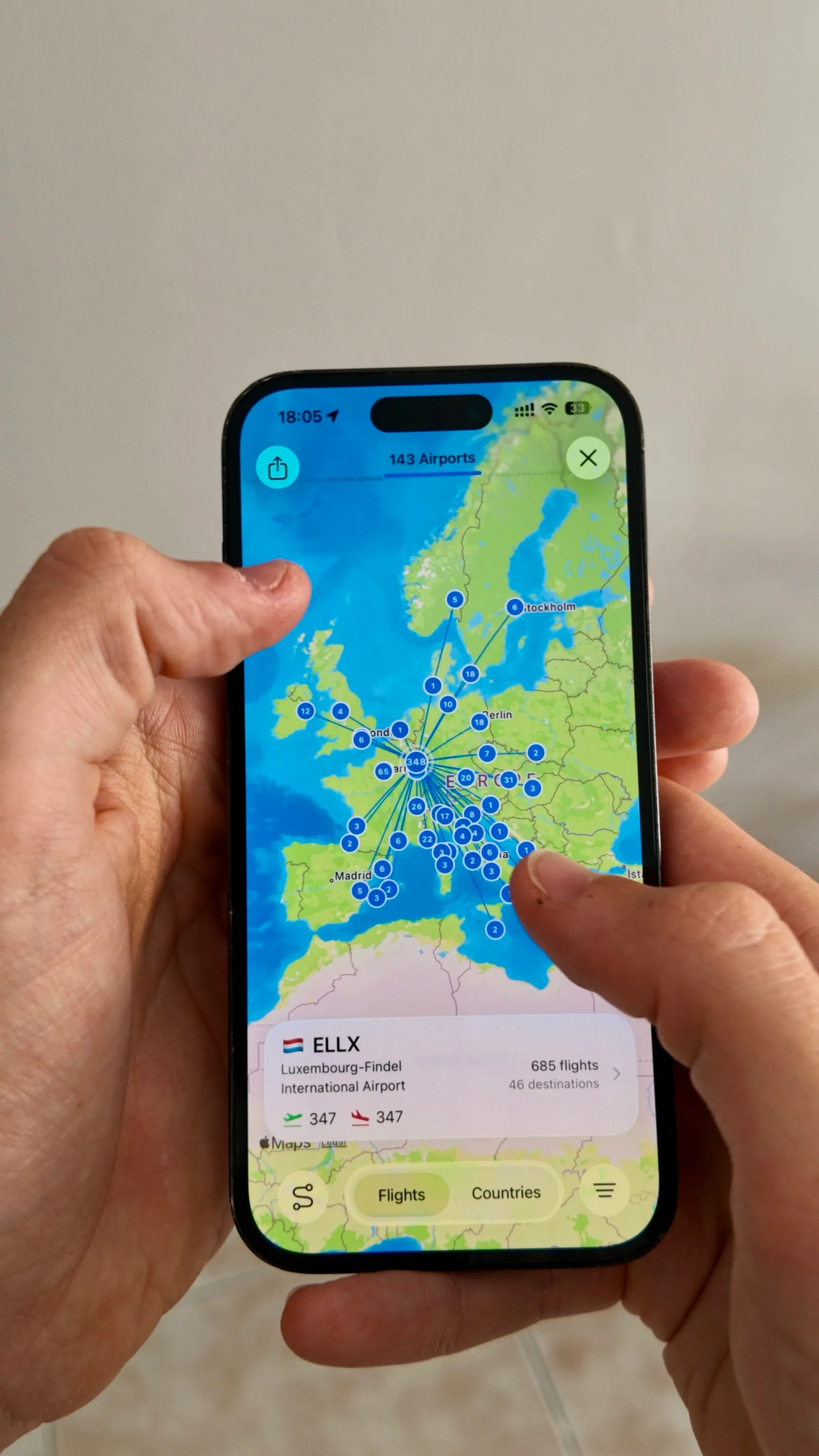
Photos, videos, and memories. Attach media directly to a flight. Skyden resurfaces milestones, anniversaries, and first flights in type, while shareable flight cards present the route, time, and distance. LogTen focuses on the record; Skyden also gives you ways to revisit it.
Professional tools without legacy complexity. Digital signatures let captains sign flights without chasing paper. Certificate and licence tracking warns you before expiries. Seven authority PDF formats cover EASA, FAA, TCCA, UK CAA, JCAB, GCAA, and CASA. Interactive maps and analytics make years of flying understandable at a glance.
One feature set, two billing options. The EUR 79.99 annual subscription and EUR 9.99 monthly subscription both include digital signatures, certificate management, analytics, all seven authority formats, and every import source. Your first 20 flight hours are free, with no card required. There is no separate Basic tier.
Direct LogTen import. Skyden supports LogTen’s TSV export format natively. Export from LogTen, import into Skyden, and your flight history transfers with field mapping handled automatically. No spreadsheet wrangling required. Skyden also supports ForeFlight, PILOTLOG, FlyLog, Carnet.aero, FlightLog, Swift, and the Skyden CSV Template. For a full walkthrough, see our import guide.
Where LogTen still wins. Skyden’s airline roster import covers seven providers: ASL Airlines, Avion Express, British Airways EuroFlyer, easyJet, Leon, Ryanair, and Volotea. That remains narrower than LogTen’s 100+ schedule formats. Skyden does not offer LogTen’s career job matching, has a much shorter operating history, and remains Apple-only. Pilots who depend heavily on a LogTen-supported airline import may be better served by staying. Everyone else should compare the products on the experience they use every day.
Our full pilot logbook app comparison places both products alongside free, cross-platform, EFB-integrated, and lower-cost alternatives.
Other Alternatives Worth Knowing
Wingman: Best Cross-Platform Option
Wingman runs on iOS, Android, and web, giving it broad platform support. At $59/year with a 250-hour free tier, it’s one of the most affordable premium options. Automatic roster import covers many airlines. If you need Android support or want a cheap premium subscription, Wingman deserves a look.
Limitations: Smaller community than LogTen. Primarily airline-focused. Their marketing tends toward self-serving comparisons.
MyFlightbook: Best Free Option
MyFlightbook is free, works across platforms, has an open API, and has been running for more than 15 years. It suits pilots who care more about cost than a polished interface.
Limitations: The UI hasn’t been modernized. It’s a one-person project with sustainability questions. Limited support.
CrewLounge PILOTLOG: Most Data Fields
60 data fields per flight, 150+ reports, 40,000+ airports. For pilots who want maximum logging granularity across platforms (iOS, Android, Windows, macOS), CrewLounge offers depth that no other app matches.
Limitations: Complex interface. Confusing pricing tiers. The rebrand from MCC Pilot Log left some users feeling burned over lifetime license changes.
Logger: Cheapest Paid Plan
Logger from getlogger.com is the cheapest serious pilot logbook on the market at $29.99/year for unlimited logging, with 50 free flights to start. Both tiers share the same feature set: ADS-B import, automatic airline importers, digital signatures, certificate tracking, and limit templates for EASA, FAA, CASA, and TCA. Apple-only (iPhone, iPad, Mac).
Limitations: No Android, no web. Smaller user base and shorter track record than incumbents. Aggressive pricing raises long-term sustainability questions.
Who Should Choose What
Stay with LogTen Pro if you actively depend on one of its many airline schedule imports or its ALPA career features. That automation is LogTen’s strongest advantage and can justify the premium for high-volume airline operations.
Choose Skyden if you use Apple devices and prioritize a modern interface, offline access, direct LogTen import, and seven authority PDF formats. Photos, videos, memories, maps, and flight cards add context to the flight record.
Choose Wingman if you need Android or web access or value its 250-hour free tier. Cross-platform support is its strongest card. Before paying, note that expiry starts a 90-day read-only period with export disabled; later restoration requires renewal plus a $30 fee.
Choose MyFlightbook if you want a free logbook and don’t mind a less polished experience. It works, it’s been around for 15+ years, and it costs nothing.
Choose Logger if you want full features at the lowest annual price on the market. At $29.99/year, it undercuts every paid competitor and includes ADS-B import, airline roster import, signatures, and certificate tracking.
How to Switch from LogTen to Skyden
If you decide to make the move, the workflow is straightforward, although a large or highly customized logbook may require more review.
-
Export from LogTen. Open LogTen and create the standard tab-separated flight export. Keep that original file as your migration reference.
-
Import into Skyden. Open Skyden, go to Import, select LogTen as the source, and pick your exported file. Field mapping is handled automatically.
-
Verify your data. Check 10-15 entries across different time periods. Confirm total times, night hours, PIC/SIC splits, and remarks transferred correctly.
-
Run both apps in parallel. Log flights in both Skyden and LogTen for 2-4 weeks. This gives you confidence that nothing was lost and the new app fits your workflow before you commit.
Your data stays in LogTen after export because the process copies rather than moves it. Check the imported totals and a sample of individual flights before switching. Our complete import guide includes screenshots and troubleshooting steps.
Frequently Asked Questions
Is Skyden better than LogTen Pro?
For pilots who value modern design, fast daily logging, offline-first reliability, flight memories, and broad regulatory exports, Skyden offers the better overall experience. LogTen Pro remains stronger for airline pilots who depend on its wider schedule-import coverage and career features.
Can I import LogTen data to Skyden?
Yes. LogTen provides a TSV flight export, and Skyden imports that format directly with automatic field mapping. Most other logbook apps (Wingman, MyFlightbook, CrewLounge) also accept CSV imports. Your data in LogTen remains intact after export.
Does LogTen work on Android?
No. LogTen Pro is Apple-only (iOS, iPadOS, macOS, Apple Watch). If you need Android support, consider Wingman, MyFlightbook, CrewLounge PILOTLOG, FlyLog, or Garmin Pilot.
What logbook app supports the most authority formats?
Skyden publishes 7 dedicated authority PDF formats: EASA, FAA, TCCA, UK CAA, JCAB, GCAA, and CASA. LogTen advertises formats from around the world but does not enumerate every authority on its public pricing page. Request the exact sample you need before relying on any comparison.
Is it safe to switch logbook apps mid-career?
Yes. CSV and TSV exports can transfer the core flight history, but app-specific fields do not always map perfectly. The original data stays in your current app after export. Import during the new app’s trial or free-access period, verify totals and representative entries, and run both in parallel before committing.
Verdict
LogTen Pro remains capable, and its schedule-import coverage is difficult to match. Pilots who use a logbook after every flight may still prefer Skyden’s faster, cleaner interface and simpler pricing.
Skyden works offline, imports LogTen history, and produces seven authority-specific exports. It also supports photos, videos, maps, milestones, and automatic memories. For Apple users who do not depend on LogTen’s wider airline imports, that may be the better fit.
Choose LogTen for its airline-import breadth. Choose Skyden for the better logbook experience.
Want to see how Skyden compares for your flying? Get your first 20 flight hours free with every feature unlocked and evaluate it alongside LogTen. And if you’re ready to migrate, Skyden imports LogTen’s TSV files directly, so your flight history comes with you.
 Try Skyden Free