You need a logbook that fits your flying, your budget, and the devices you use. With dozens of apps all claiming to be the best, comparing them takes more than reading their App Store descriptions.
This guide compares 10 pilot logbook apps by price, platform support, regulatory compliance, automation, and daily usability. There are no affiliate links. The ranking is my assessment, including the limitations of my own app.
Full disclosure: I founded Skyden, so I am not neutral. I have applied the same criteria to every app and included Skyden’s limitations alongside its strengths.
TL;DR
- Best overall on Apple devices: Skyden, for modern design, offline-first reliability, fast logging, and richer flight records.
- Best airline roster automation: LogTen Pro, for broad schedule imports and mature airline workflows.
- Best free option: MyFlightbook. Best value: Wingman. Cheapest paid plan: Logger at $29.99/year.
- Best for Garmin-equipped GA pilots: Garmin Pilot. Best cross-platform options: Wingman or CrewLounge PILOTLOG.
- Most platforms supported: FlyLog, with apps for iOS, Android, Mac, Windows, and web.
How We Evaluated
Every app was assessed across seven categories:
- Pricing. What does it actually cost per year? What’s included in free tiers?
- Platform support. iOS, Android, web, desktop. Cross-platform matters.
- Regulatory compliance. Which authority formats can it export? EASA, FAA, TCCA, UK CAA, and others.
- Automation. Auto-logging, schedule import, smart autofill. How much manual entry can you avoid?
- Data portability. Can you export your data? CSV, PDF, API? How easy is it to switch away?
- Career-record continuity. What can you access after payment stops, and when can the provider delete the records?
- User experience. Is the interface modern and fast, or does it feel like it was built in 2008?
Pricing Comparison
Price is the easiest place to start.
| App | Free Tier | Annual Price | Pricing Model |
|---|---|---|---|
| LogTen Pro | 50 hours | $79.99 (Basic) / $129.99 (Pro) | Subscription |
| ForeFlight | None | $130-$390/yr | Subscription (EFB bundle) |
| Wingman | 250 hours | $59/yr or $4.99/mo | Subscription |
| MyFlightbook | Unlimited | Free | Donation-supported |
| CrewLounge PILOTLOG | 100 flights | EUR 39.99-46.99/yr | Subscription |
| Logger | 50 flights | $29.99/yr | Subscription |
| FlyLog | Free trial | $47.88 (Basic) / $95.88 (Premium) | Subscription |
| Garmin Pilot | None | $74.99-$149.99/yr | Subscription (EFB bundle) |
| capzlog.aero | Limited | CHF ~48-120/yr | Subscription |
| Skyden | First 20 flight hours free | EUR 79.99/yr or EUR 9.99/mo | Subscription after 20 hours |
The range is wide. MyFlightbook is free, and Wingman’s 250-hour tier may cover an entire student pilot’s training. Logger charges $29.99/year for all features. ForeFlight sits at the other end because its logbook only comes with the full EFB suite.
Over a 30-year career, these numbers compound. A $130/year subscription costs nearly $4,000 over a career. A free app costs nothing. That’s worth considering, even if the premium app is better.
Feature Comparison
| Feature | LogTen Pro | ForeFlight | Wingman | MyFlightbook | CrewLounge | Logger | FlyLog | Garmin Pilot | capzlog | Skyden |
|---|---|---|---|---|---|---|---|---|---|---|
| iOS | Yes | Yes | Yes | Yes | Yes | Yes | Yes | Yes | Yes | Yes |
| Android | No | No | Yes | Yes | Yes | No | Yes | Yes | Yes | No |
| Web app | No | Yes | Yes | Yes | No | No | Yes | No | Yes | No |
| Offline mode | Yes | Yes | Yes | Yes | Yes | Yes | Yes | Yes | Yes | Yes |
| EASA format | Yes | Yes | Yes | Yes | Yes | Yes | Yes | No | Yes | Yes |
| FAA format | Yes | Yes | Yes | Yes | Yes | Yes | Yes | Yes | Yes | Yes |
| Other authorities | Not fully listed publicly | - | Limited | Limited | Limited | CASA, TCA | TCCA, CASA | - | - | TCCA, UK CAA, JCAB, GCAA, CASA |
| Auto-logging | One-tap entry + schedule import | From flight plans | Roster import | Manual | Roster import | ADS-B + airline import | ADS-B + 150+ airline systems | Avionics detection | Manual | Smart autofill |
| Airline roster import | 100+ schedule formats | No | Many airlines | No | Yes | Yes | 150+ systems | No | No | Yes (7 airline providers) |
| CSV import | Yes | Yes | Yes | Yes | Yes | Yes | Yes | Yes | Yes | Yes |
| PDF export | Yes | Yes | Yes | Yes | Yes | Yes | Yes | Yes | Yes | Yes (7 formats) |
| Digital signatures | Yes | Yes | No | No | No | Yes | Yes | No | Yes | Yes |
The feature that separates apps most visibly is automation. LogTen Pro pairs one-tap entry creation (current time + GPS + default aircraft) with a crew schedule importer covering 100+ schedule formats. ForeFlight auto-populates from its own flight plans. Wingman imports rosters automatically from many airlines. Logger pulls flights from ADS-B and airline imports. These features save real time, especially for airline pilots logging 80+ flights a month.
On the other end, MyFlightbook is primarily manual entry. It works fine if you fly a few times a week, but becomes tedious at airline pace.
Platform support is the other major dividing line. If you’re on Android, your options narrow considerably. LogTen Pro, Logger, and Skyden are Apple-only, and ForeFlight is limited to iOS and web. Wingman, MyFlightbook, CrewLounge, FlyLog, Garmin Pilot, and capzlog all support Android. FlyLog goes furthest with native apps for iOS, Android, Mac, Windows, and a full web app. If you fly with colleagues who use different platforms, cross-platform apps make sharing data and comparing notes easier.
Regulatory coverage varies more than most pilots realize. Most apps handle FAA and EASA formats well, see our deep dives on EASA logbook requirements and FAA logbook requirements for what suitable exports need to contain. But if you fly under TCCA, UK CAA, JCAB, GCAA, or CASA, your options are limited. Skyden offers dedicated PDF layouts for all seven authorities. For pilots who hold licences in multiple jurisdictions, this can matter more than a longer generic feature list.
What Happens to Your Logbook When You Stop Paying?
Retention and access are not the same promise. A provider may keep your flight records while preventing you from viewing or exporting them. Since those records can support licences, hiring, and an entire career, check both before subscribing.
| App | Access after payment stops | Published retention or deletion rule |
|---|---|---|
| LogTen Pro | No fixed post-subscription period published | Criteria-based retention; its terms make pilots responsible for backups |
| ForeFlight | Not stated precisely | Retained while the ForeFlight account is active; cancellation is not defined as account deletion |
| Wingman | Read-only for 90 days; exporting is disabled | Then archived; recovery requires renewal plus $30, and the final archive window is not disclosed |
| MyFlightbook | No paid subscription | Retained while the account exists; deletion emails the pilot a logbook copy first |
| CrewLounge PILOTLOG | Falls back to the free Student Edition with data access | Deleted after 18 months of non-use |
| Logger | Not stated precisely | No fixed period; retained as needed or until deletion is requested, subject to exceptions |
| FlyLog | Expired account and logbook are restricted | Individual pilot data is permanently deleted 12 months after cancellation |
| Garmin Pilot | Subscription-expiry access is not stated precisely | Garmin account data is deleted after two years of account-wide inactivity, following notices |
| capzlog.aero | Terms do not tie active-user status to payment | Active-user data is stored permanently; active means the account has not been deleted |
| Skyden | Existing flights remain readable and exportable | Retained for up to 10 years after inactivity or subscription end unless deletion is requested |
These policies can change. Export a regulator-ready PDF plus raw CSV or JSON regularly, even when a vendor publishes a generous retention period.
Top 10 Pilot Logbook Apps in 2026
This overall order weighs daily usability, reliability, regulatory coverage, automation, price, platform support, and data portability. A lower-ranked app may still be the better choice when its specialist strength matches how you fly.
1. Skyden: Best Overall for Apple Pilots
Best for: Pilots on Apple devices who want the best overall combination of design, reliability, professional tooling, and personal flight memories.
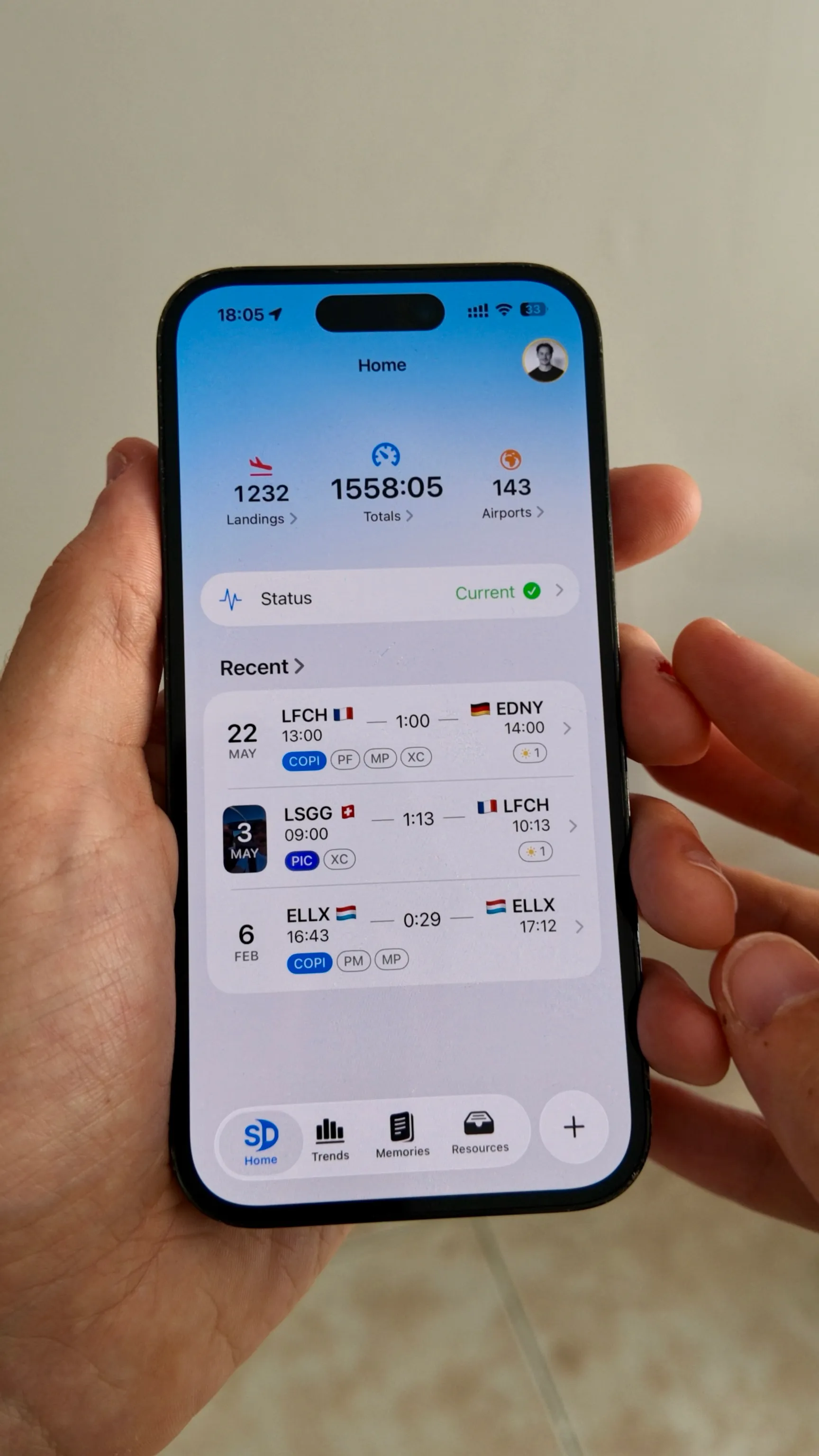
Skyden starts from a different product philosophy: your logbook is both a professional record and the story of your flying life. Flights work fully offline, sync securely across your Apple devices, and receive encrypted automatic backup. If your subscription ends, you can still read and export every existing flight; only logging new flights requires resubscribing. Unless you request deletion, inactive flight logs are retained for up to 10 years so your professional history can be recovered. Smart automation handles repeated aircraft, airport, crew, role, and time work, while a native Apple interface keeps daily logging fast and clear.
Skyden also preserves what traditional logbooks discard. Pilots can attach photos and videos to individual flights. Automatic Memories resurface milestones, anniversaries, and first flights in type. Interactive maps, analytics, and shareable flight cards turn accumulated hours into something you can understand, revisit, and share.
Professional depth remains strong: digital crew signatures, certificate and licence expiry alerts, 7 authority PDF formats (EASA, FAA, TCCA, UK CAA, JCAB, GCAA, CASA), imports from 8 logbook sources, and airline imports for 7 providers. Annual and monthly subscriptions unlock the same complete feature set. No Basic versus Pro split.
Strengths: Best modern design and daily UX in this comparison. Full offline use, secure sync, encrypted automatic backup, and portable exports. Photos and videos attached to flights. Automatically generated memories. Extensive flight-entry automation, digital signatures, expiry alerts, interactive maps, analytics, and seven authority PDF formats. 4.9/5 App Store rating as of August 2026.
Limitations: Apple-only (iPhone, iPad, and Mac). No Android or web app. Much shorter operating history than LogTen or ForeFlight. Airline roster import covers 7 providers, narrower than LogTen’s 100+ schedule formats. Newer to the market, which means fewer integrations. The first 20 flight hours are free, a lower allowance than Wingman’s 250-hour free tier.
2. LogTen Pro: Best for Airline Automation
Best for: Airline pilots on Apple devices who want maximum automation.
LogTen Pro is a mature app with more than 10,000 five-star reviews across app stores, according to the vendor. It is deeply integrated with airline workflows. Its crew schedule importer covers 100+ schedule formats, one-tap entry creation prefills time and GPS location, and it includes career features through its ALPA partnership.
Strengths: Most mature ecosystem. One-tap entry plus crew schedule import. Deep airline integrations. Career job matching. Excellent print quality for interview presentations.
Limitations: Apple-only, no Android, no web app. The Pro tier at $129.99/year is one of the most expensive options. Its public pages advertise formats from around the world without clearly enumerating every supported authority, so request the exact sample you need. The Basic tier at $79.99/year locks you out of key features like airline schedule import. The interface and overall user experience feel dated, much of the visual language has not meaningfully evolved in the last decade and lags modern Apple-native apps. LogTen publishes no fixed post-subscription retention guarantee and makes pilots responsible for backups. For a deeper side-by-side, see our LogTen Pro alternative comparison.
3. ForeFlight: Best Integrated EFB
Best for: GA pilots already using ForeFlight for navigation and flight planning.
ForeFlight is the dominant EFB in the US market, backed by Boeing. Its logbook auto-populates from flight plans. File a plan, fly it, and your logbook entry is mostly done. It includes 60+ endorsement templates and works closely with the rest of the ForeFlight ecosystem.
Strengths: Seamless EFB integration. Auto-population from flight plans. Extensive endorsement library. Backing from a large aviation company.
Limitations: The logbook isn’t standalone. You’re paying $130-$390/year for the full EFB suite just to access the logbook. No Android app, although web logbook access remains available. If you already use a different EFB, the logbook alone may not justify the cost. ForeFlight’s policies do not publish a precise post-cancellation access or retention period, and its EULA allows the service or an account to be discontinued. For a focused logbook-vs-logbook view, see our ForeFlight logbook alternative comparison.
4. Wingman: Best Value
Best for: Airline pilots who need cross-platform support and roster import at a fair price.
Wingman punches above its weight. Its 250-hour allowance is the most generous capped free tier in this comparison. Automatic roster import covers many airlines. It’s cross-platform (iOS, Android, web), which is a genuine advantage over Apple-only competitors. At $59/year for Pro, it’s significantly cheaper than LogTen or ForeFlight.
Strengths: Cross-platform. Generous free tier. Aggressive pricing. Automatic roster import. Good automation.
Limitations: Smaller brand and community than LogTen. The website feels less polished than the app. Primarily airline-focused, so GA pilots won’t benefit from roster import. After a paid subscription expires, Wingman allows 90 days of read-only access but disables export. Later recovery requires renewal plus a $30 handling fee, and the final archival period is not published.
5. MyFlightbook: Best Free Option
Best for: Budget-conscious pilots, students, and anyone who wants a free logbook.
MyFlightbook is completely free and has been running for over 15 years. It’s cross-platform (iOS, Android, web), supports multiple authority formats, and has a loyal community. You can log unlimited hours without ever paying a cent. There’s even an open API for developers.
Strengths: No paid feature tier. Cross-platform. 15+ years of operation. Open API. Public source code and documented continuity planning. Spreadsheet export provides a practical exit path.
Limitations: The UI looks dated compared to modern apps. It is independently maintained rather than backed by a large support organisation. Full logbook viewing and analysis require a connection. Open source reduces continuity risk but does not remove it, so pilots should still keep independent exports.
6. CrewLounge PILOTLOG: Most Data Fields
Best for: Detail-oriented pilots who want maximum logging granularity.
CrewLounge captures 60 data fields per flight, more than any other app in this comparison. It has 40,000+ airports in its database and generates 150+ different report types. For pilots who need very specific data tracked, the depth is unmatched.
Strengths: 60 data fields per flight. 150+ reports. 40,000+ airports. Cross-platform (iOS, Android, Windows, macOS). Affordable (EUR 39.99-46.99/year).
Limitations: The interface is complex, dense, and visibly dated, especially for pilots coming from modern apps. Onboarding is steep, and the Enterprise versus Enterprise+ structure adds friction. After subscription expiry, data remains available through the free Student Edition, but an unused account and its data are permanently deleted after 18 months.
7. Logger: Cheapest Paid Plan
Best for: Apple pilots who want a full-featured logbook at the lowest annual price on the market.
Logger is the cheapest serious pilot logbook at $29.99/year for unlimited logging, with 50 free flights to start. Both tiers share the same feature set: 40,000+ airports, automatic airline importers, ADS-B import and replay, digital signatures, certificate and endorsement tracking, batch editing, custom CSV import, iCloud sync, automatic night calculations, and an interactive map view. Limit templates cover EASA, FAA, CASA, and TCA.
Strengths: Cheapest paid plan in the market ($29.99/year). Same features in free and paid tiers. Modern Apple-native design. ADS-B import and automatic airline importers. iCloud sync.
Limitations: Apple-only (iPhone, iPad, Mac). No Android or web app. Smaller user base and shorter track record than incumbents. Aggressive pricing raises sustainability questions over the long term.
8. FlyLog: Most Platforms Supported
Best for: Pilots who want one logbook accessible from every device they own.
FlyLog from Breele LLC has been running since 2014 and supports the widest range of platforms in this comparison: iOS, iPad, Android, Mac, Windows, and a full web app. It imports flights from 150+ airline and crew systems, supports ADS-B import, and exports PDFs for FAA, EASA, TCCA, and CASA. The Premium tier adds an audit engine for error detection, VFR navigation maps, NOTAM/METAR integration, and flight recording.
Strengths: Broadest platform support of any competitor (six platforms). 150+ airline crew system imports. Audit engine for error detection. Affordable Basic tier at $3.99/month billed annually ($47.88/year). 10+ years on the market.
Limitations: Tiered pricing locks key features (ADS-B import, audit engine, VFR maps) behind the Premium tier at $95.88/year. App Store monthly subscriptions are noticeably more expensive (EUR 6.99/month Basic, EUR 12.49/month Premium, roughly EUR 84 to EUR 150 per year versus the web annual rate). The interface is dense and feature-heavy, which can feel overwhelming and dated next to modern Apple-native apps. Authority PDF coverage is narrower than Skyden (4 vs 7 formats). When a subscription expires, FlyLog says the account and logbook are restricted. Its current terms retain individual pilot data for 12 months before permanent, unrecoverable deletion.
9. Garmin Pilot: Best for Garmin Avionics
Best for: GA pilots with Garmin avionics who want hardware-to-software integration.
Garmin Pilot’s logbook integrates directly with Garmin avionics, auto-detecting flights based on airspeed and altitude data. If you already fly behind a Garmin panel, the logging is nearly automatic.
Strengths: Deep avionics integration. Auto-flight detection. Part of the broader Garmin aviation ecosystem.
Limitations: The logbook is secondary to the EFB and not a standalone product. At $74.99-$149.99/year, you’re paying for the full EFB suite. Limited authority format support. If you don’t have Garmin avionics, the main differentiator disappears. Garmin also automatically deletes an account after two years of inactivity across all Garmin services, following multiple notices; cancellation alone is not the trigger.
10. capzlog.aero: Best for Formal EASA Certification
Best for: European pilots who want formal regulatory certification.
capzlog.aero holds a notable distinction: it’s the first pilot logbook certified against EASA AMC1 FCL.050 by the Swiss FOCA. For pilots who want the peace of mind that comes with official certification, this matters. It’s cross-platform (iOS, Android, Web) and has an “academy” section with regulatory content.
Strengths: EASA AMC1 FCL.050 certified by Swiss FOCA. Cross-platform. Regulatory education content.
Limitations: At CHF 3.99-9.99/month billed annually (roughly CHF 48-120/year depending on tier), it’s not the cheapest option. Smaller user base than the big players. Primarily European focus. The interface feels dated and form-heavy, with limited investment in modern mobile UX, getting started and navigating the app takes more effort than it should.
Who Should Choose What
Your choice depends on what you fly, which platforms and authority formats you need, and what you are willing to pay.
Choose LogTen Pro if broad airline schedule import is your overriding priority and your carrier is supported. Its automation depth remains excellent despite an older interface and more traditional product philosophy.
Choose ForeFlight if you already use it as your EFB and you want your logbook integrated with your flight planning. Don’t buy ForeFlight just for the logbook.
Choose Wingman if you need cross-platform support, you’re cost-conscious, and you fly for an airline. The 250-hour free tier and $59/year Pro plan are hard to beat.
Choose MyFlightbook if you want a free logbook and you can tolerate a dated interface. It’s the only option that costs literally nothing.
Choose CrewLounge if you need maximum data granularity and you’re willing to invest time learning a complex interface. The 60 fields per flight and 150+ reports are unmatched.
Choose Logger if you want full features at the lowest annual price on the market. At $29.99/year, it undercuts every paid competitor and includes ADS-B import, airline roster import, signatures, and certificate tracking.
Choose FlyLog if you want one logbook that runs natively on every platform you use (iOS, Android, Mac, Windows, web). Strong airline coverage and an audit engine, with affordable Basic and feature-loaded Premium tiers.
Choose Garmin Pilot if you fly GA with Garmin avionics and want automatic flight detection from your panel.
Choose capzlog if formal EASA certification matters to you and you want a recognized regulatory stamp on your logbook tool.
Choose Skyden if you use Apple devices and prioritize modern design, offline access, fast logging, regulator-ready exports, flight media, and automatic memories.
The Subscription Fatigue Problem
One theme that comes up constantly in pilot forums is subscription fatigue. Pilots already pay for medical certificates, checkrides, training, charts, weather services, and EFB subscriptions. Adding another $60-$130/year for a logbook feels like a lot, especially when paper logbooks cost $15 and last for years.
It’s a fair concern. Over a 30-year career, even a modest $60/year subscription totals $1,800. A premium app at $130/year adds up to $3,900. These aren’t trivial numbers.
But the math cuts both ways. A logbook app that saves you 10 minutes per flight through auto-logging, smart autofill, or roster import saves an airline pilot logging 80 flights per month roughly 13 hours a year. Whether that time savings justifies the cost is personal, but it’s not nothing.
True lifetime licenses have largely disappeared from the market. The cheapest serious paid alternative is Logger at $29.99/year, which is roughly half the cost of Wingman Pro and a fraction of LogTen or ForeFlight. Aggressively low pricing raises its own questions about long-term sustainability, but for pilots focused purely on cost, it is the new floor.
Switching Between Apps
Most pilots will switch logbook apps at least once. Nearly every app supports CSV import and export, but migrations are rarely seamless.
Common migration headaches include losing remarks and endorsement fields, time format mismatches (decimal vs hours:minutes), and missing aircraft type mappings. Before you commit to switching:
- Export your current data as CSV from your existing app (or grab our generic CSV template as a reference)
- Check the new app’s import documentation for supported fields
- Import during the new app’s free trial or free access period and verify a sample of entries
- Run both apps in parallel for a month before fully committing
If Skyden is on your shortlist, our step-by-step import guide covers ForeFlight, LogTen, PILOTLOG, FlyLog, Carnet.aero, FlightLog, Swift, and the Skyden CSV Template.
The best time to switch is early in your career, when you have fewer hours to migrate. The worst time is right before an airline interview, when you need a clean, verified logbook. Plan ahead.
For pilots who need compliant exports across multiple authorities, check our EASA logbook requirements guide for what your exports need to contain.
If you’re still debating whether to go digital at all, our guide on digital vs paper logbooks covers the broader decision.
Frequently Asked Questions
Is there a completely free pilot logbook app?
Yes. MyFlightbook is 100% free with unlimited hours, supported by donations. Wingman offers 250 free hours per year, which is enough for most student pilots to complete training. Skyden offers your first 20 flight hours free, and LogTen offers 50 free hours. CrewLounge offers 100 free flights and Logger offers 50 free flights with all features unlocked.
Do airlines accept digital logbooks for interviews?
Most major airlines now accept digital logbooks, provided you can produce a clean printed PDF. The quality of your PDF export matters. A well-formatted, authority-compliant printout is just as professional as a paper logbook. Some examiners and smaller operators still prefer paper, so always be prepared to print.
Which logbook app works on Android?
Wingman, MyFlightbook, CrewLounge PILOTLOG, FlyLog, Garmin Pilot, and capzlog.aero all support Android. LogTen Pro, ForeFlight, Logger, and Skyden have no native Android app. If Android support is non-negotiable, this narrows your options significantly.
What happens if my logbook app shuts down?
Company size does not guarantee continued access. Keep an independent regulator-ready PDF plus CSV, JSON, or another raw-data export. Read the provider’s retention and cancellation terms separately because some vendors retain records while disabling viewing or export.
Is a subscription or one-time purchase better?
True lifetime licenses have largely disappeared from the pilot logbook market. Almost every major option is now a subscription. The closest alternative is multi-year prepay, where some apps let you lock in 3, 5, or 10 years upfront. Across a 30-year career, a $60/year subscription costs $1,800; a $30/year option like Logger drops that to $900. Subscriptions fund ongoing development, server costs, and support, so the trade-off is paying continuously for software that keeps improving versus paying less for an app whose long-term roadmap is harder to predict.
My Verdict
No app wins every category. My pick for most pilots on iPhone, iPad, or Mac is Skyden, for its mix of reliable records and modern design.
LogTen makes sense when its airline schedule imports match your workflow. Wingman offers good cross-platform value, while MyFlightbook is the free option. Skyden fits pilots who want an Apple-native logbook that is pleasant to use after every flight.
Whichever app you choose, use it consistently and keep independent exports. A long feature list means little if the workflow makes you postpone entries after every flight.
Want to see how Skyden handles multi-authority records? Get your first 20 flight hours free with every feature unlocked, then evaluate it alongside your current logbook before deciding.
Related reading
- EASA vs FAA Logbook Requirements: What Actually Differs
- EASA Pilot Logbook Requirements
- FAA Pilot Logbook Requirements
- ForeFlight Logbook Alternative: An Honest Comparison
- LogTen Pro Alternative: Best Pilot Logbook Apps in 2026
- Digital vs Paper Logbooks: What Pilots Need to Know
- Import Your Logbook to Skyden: Step-by-Step Guide
- How Night Time Is Calculated
 Try Skyden Free