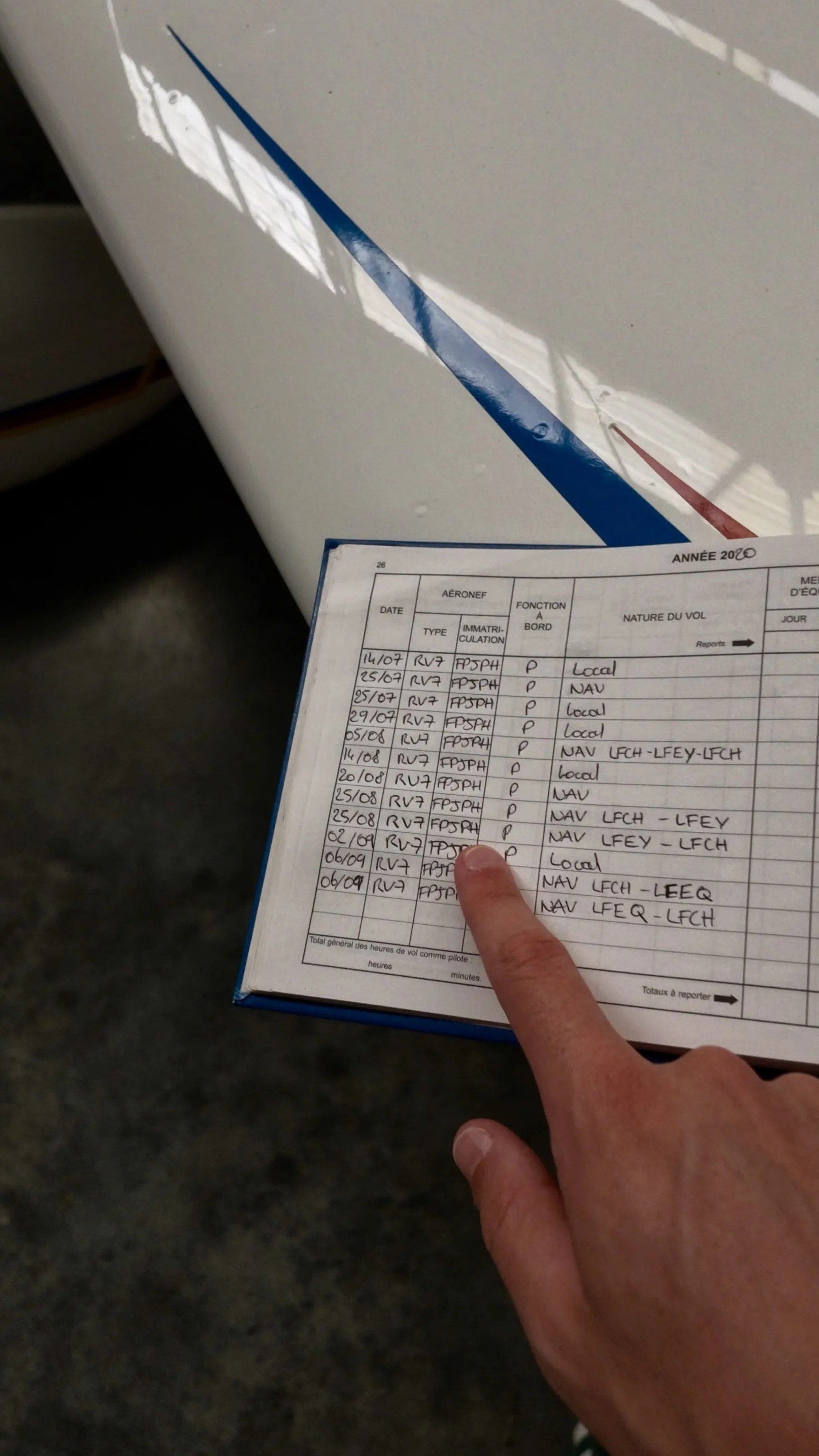
Filling out a pilot logbook correctly means recording what happened, under the rules that apply to your licence, without turning one flight into extra total time. Start with the date, aircraft, route, duration, and your role. Then add only the time categories and remarks that the flight genuinely supports.
The difficult part is not handwriting the entry. It is knowing whether the time belongs under PIC, co-pilot, solo, dual, night, instrument, IFR, or cross-country. FAA and EASA rules overlap, but they are not interchangeable.
This guide explains the practical process. It is general information, not a substitute for instructions from your competent authority, instructor, examiner, school, or operator.
TL;DR
- Record the date, route, aircraft identification, total time, pilot role, relevant conditions, landings, and required remarks or endorsements.
- Allocate time to applicable categories without adding those columns together as extra total time.
- EASA entries should follow AMC1 FCL.050 and normally use UTC. FAA entries used for certificates, ratings, reviews, or currency must satisfy 14 CFR 61.51.
- Before closing an entry, check that pilot function, night, instrument, cross-country, landings, and supporting remarks use the correct authority’s definitions.
- Correct mistakes transparently, preserve the original paper entry, and regenerate affected totals or exports after fixing a digital entry.
1. Start With the Basic Flight Details
Complete the fields that identify the flight before allocating any time categories.
| Field | What to record |
|---|---|
| Date | Date on which the flight began |
| Departure | Place and departure time |
| Arrival | Place and arrival time |
| Aircraft | Type or make, model and variant, plus registration or identification |
| Total time | Flight time under the definition used by your authority |
| PIC name | Required in the EASA AMC1 format; use the designated PIC’s name or “SELF” where appropriate |
Under FAA 14 CFR 61.51, each flight or lesson logged for the purposes covered by that rule needs the date, total flight or lesson time, departure and arrival locations, aircraft or training-device type and identification, and safety-pilot name when one is required.
Under EASA FCL.050 and AMC1 FCL.050, pilots keep a reliable record of all flights. The standard record includes the PIC name, date, departure and arrival places and times, aircraft details, single-engine or multi-engine indication where applicable, total and accumulated time, pilot function, operational conditions, landings, and relevant remarks or endorsements.
Use the right time convention
For EASA records, the AMC1 example uses dd/mm/yy, internationally recognised three- or four-letter place designators or the place written in full, and UTC departure and arrival times.
FAA 61.51 does not prescribe a date format or require UTC. Pick one unambiguous convention and use it consistently. If you fly across time zones, UTC avoids avoidable errors.
Record flight time, not airborne time
For an aeroplane under FAA rules, flight time begins when the aircraft moves under its own power for the purpose of flight and ends when it comes to rest after landing. EASA uses a similar first-movement-to-final-rest definition for aeroplanes, touring motor gliders, gyroplanes, and powered-lift aircraft. Helicopter definitions differ, so use the rule for your aircraft category.
2. Allocate Your Pilot Function Correctly
After recording total time, identify the role you may legally log. Do not decide from seat position or from who handled the controls alone.
FAA PIC time
Under 14 CFR 61.51(e), common PIC logging cases include:
- A properly rated sport, recreational, private, commercial, or airline transport pilot acting as sole manipulator of the controls
- A pilot who is the sole occupant of the aircraft
- An eligible pilot acting as PIC where more than one pilot is required by the aircraft type certificate or operating rules
- A student pilot who meets the specific solo-flight conditions in 61.51(e)(4)
- An instructor who is rated to act as PIC and serves as the authorised instructor
This creates an important FAA nuance: a certificated pilot receiving instruction may log dual received and PIC at the same time when that pilot is the sole manipulator and holds the appropriate category, class, and type ratings. A student pilot who does not yet hold those ratings cannot use that rule; student PIC logging follows 61.51(e)(4).
Logging PIC is also different from acting as PIC. The person with final authority for the flight and the person allowed to log PIC may not always be the same person.
EASA PIC, co-pilot, dual, SPIC, and PICUS time
EASA logging is more directly tied to the function performed under AMC1 FCL.050. Examples include:
- The designated PIC logs PIC
- Solo flight time is entered as PIC
- A co-pilot logs co-pilot time when more than one pilot is required by certification, regulation, or the operator’s operations manual
- Dual instruction is recorded as dual
- SPIC and PICUS time may be entered as PIC when the applicable supervision and certification requirements are met
- An instructor acting as instructor in an aircraft records instructor time as appropriate and also enters it as PIC
Simply being pilot flying does not convert EASA co-pilot or dual time into PIC. PICUS and SPIC entries also need the applicable PIC or instructor certification in the remarks column.
For deeper authority-specific explanations, use our guides to EASA pilot logbook requirements, FAA pilot logbook requirements, and EASA versus FAA logging differences.
3. Add Flight Conditions Without Double-Counting Total Time
A flight can belong in several descriptive columns at once. This is normal. A 1:20 flight could be 1:20 total, 1:20 PIC, 0:45 night, 0:30 actual instrument, and qualifying cross-country time. It remains 1:20 total, not the sum of those categories.
| Category | Record it when |
|---|---|
| Solo | You meet your authority’s solo definition; under FAA 61.51(d), this generally means being the sole occupant |
| PIC / co-pilot / SIC / dual | Your actual role meets the applicable FAA or EASA logging rule |
| Night | The relevant portion occurs during the authority’s defined night period |
| Actual instrument | Under FAA rules, you operate solely by reference to instruments in actual instrument conditions |
| Simulated instrument | You operate solely by reference to instruments under simulated conditions, such as with a view-limiting device |
| IFR | Under EASA, the aircraft is operated under Instrument Flight Rules during that portion |
| Cross-country | The flight meets the definition used by your authority and by the certificate or rating requirement involved |
| FSTD / simulator | Log the device and session separately from aircraft flight time |
Night time is not the night passenger-currency window
FAA “night” runs from the end of evening civil twilight to the beginning of morning civil twilight. EASA uses the same civil-twilight baseline, while allowing another sunset-to-sunrise period if prescribed by the appropriate authority.
FAA night passenger currency uses a different window. 14 CFR 61.57(b) requires three takeoffs and three full-stop landings within the preceding 90 days, performed from one hour after sunset to one hour before sunrise, to carry persons during that window, subject to the rule’s aircraft-category, class, and type conditions.
Log only the part of a flight that occurred during regulatory night as night time. See how night time is calculated for the civil-twilight method.
Instrument time and IFR time are not identical
FAA instrument time under 61.51(g) is time operating solely by reference to instruments in actual or simulated instrument conditions. For instrument recency, record the location and type of each instrument approach, plus the safety pilot’s name when required.
EASA’s AMC1 logbook has an IFR operational-condition column. IFR time is time flown under Instrument Flight Rules. Do not automatically copy the full flight into FAA actual-instrument time merely because you filed or flew IFR.
Cross-country has several FAA definitions
“More than 50 NM” is not the universal FAA definition of every cross-country flight. 14 CFR 61.1 provides different definitions for different purposes.
For most airplane private-pilot, commercial-pilot, and instrument-rating aeronautical-experience requirements, the flight must include a landing more than 50 NM straight-line distance from the original departure point and use navigation. ATP aeronautical-experience credit uses a different version that does not require a landing, while rotorcraft and sport-pilot thresholds differ.
EASA defines cross-country more generally as a flight from departure to arrival following a pre-planned route using standard navigation procedures. Training-course requirements may add their own distance or landing conditions.
4. Record Landings, Remarks, and Endorsements
Landings
EASA’s AMC1 format separates day and night landing counts. Under FAA rules, recording takeoffs and landings matters when you use them to show recent flight experience under 61.57. Night passenger-currency landings must be to a full stop.
Remarks
Use remarks for information needed to explain or validate the entry, such as:
- Instrument-approach location and type for FAA instrument recency
- Safety-pilot name when required
- Training received and applicable instructor endorsement
- PICUS or SPIC certification
- Skill tests, proficiency checks, or required revalidation details
- Route details or operational notes that will help you understand the entry later
FAA training-time entries must include a description and length of the training, plus the authorised instructor’s signature, certificate number, and certificate expiration date or recent-experience end date as applicable under the current wording of 61.51(h).
EASA remarks requirements depend on the activity. AMC1 FCL.050 specifically calls for entries such as PICUS or SPIC certification, skill tests, proficiency checks, and certain revalidation or recency flights.
5. Check the Entry Before You Close the Logbook
Use this sequence after every flight:
- Confirm date, aircraft registration, departure, arrival, and total time against a reliable source.
- Confirm your function: PIC, co-pilot or SIC, solo, dual, instructor, SPIC, or PICUS.
- Add only applicable night, IFR, actual instrument, simulated instrument, and cross-country time.
- Enter day and night landings where relevant.
- Add required names, remarks, approaches, signatures, or endorsements.
- Check that function and condition columns do not inflate total time.
- Reconcile running totals or let your digital logbook calculate them from the entries.
EASA AMC1 FCL.050 says entries should be made as soon as practicable after the flight. FAA rules focus on accurate records rather than prescribing a same-day deadline. In practice, logging promptly reduces forgotten approaches, safety-pilot names, landing counts, and time splits.
A Worked Example
Assume you fly a Cessna 172 from KPAO to KMOD under FAA rules. You are a private pilot rated for airplane single-engine land and the sole manipulator. A flight instructor provides instrument training. Total flight time is 1:15, including 0:40 simulated instrument. You perform one instrument approach and land at KMOD, more than 50 NM straight-line from KPAO.
| Field | Example entry |
|---|---|
| Date | 20 Aug 2026 |
| Aircraft | C172, N12345 |
| Route | KPAO to KMOD |
| Total | 1:15 |
| PIC | 1:15, because you are rated and sole manipulator |
| Dual received | 1:15 |
| Simulated instrument | 0:40 |
| Cross-country | 1:15 for the applicable airplane PPL, CPL, or IR experience definition, assuming all 61.1 conditions are met |
| Landings | 1 |
| Remarks | Approach location and type, training description, instructor endorsement |
PIC and dual legitimately overlap here. Simulated instrument describes only the time flown solely by reference to instruments. None of those extra columns increase the 1:15 total.
Common Pilot Logbook Mistakes
Treating FAA and EASA PIC rules as identical
FAA sole-manipulator logging can allow PIC and dual to overlap for a properly rated certificated pilot. EASA generally records dual as dual unless another defined PIC case, such as SPIC, applies. Apply the system governing the record you are producing.
Using 50 NM as a universal cross-country rule
FAA cross-country definitions change with the purpose and aircraft category. EASA uses a different definition. Write down which certificate, rating, or recency requirement you are trying to satisfy before classifying the time.
Confusing FAA night logging with night passenger currency
Civil twilight defines FAA night for logging. One hour after sunset to one hour before sunrise defines the 61.57(b) night passenger-currency window. They answer different questions.
Logging the whole IFR flight as actual instrument
An IFR clearance does not make the entire flight actual instrument time. Under FAA rules, actual instrument time covers only the period flown solely by reference to instruments in actual instrument conditions.
Omitting required support details
An approach without its location and type, simulated instrument time without the required safety-pilot name, or PICUS time without certification can fail to support the experience you intended to document.
Silently changing paper entries or totals
Neither FAA 61.51 nor EASA FCL.050 establishes one universal correction method for every personal pilot logbook. For paper records, transparent practice is to leave the original readable, add the correction, and initial and date it. Follow any more specific process required by your authority, school, instructor, examiner, or operator.
Treating simulator time as aircraft flight time
Record FSTD or training-device sessions separately. Some approved device time can count toward particular training, experience, or recency requirements, but that credit does not transform the session into aircraft flight time. Check the exact requirement and device approval.
Paper or Digital Pilot Logbook?
Both can produce an acceptable record. Accuracy, completeness, availability, and the applicable authority’s format matter more than whether the entry began with ink or a touchscreen.
FAA 61.51 specifies required content and presentation for inspection without prescribing a paper medium. EASA AMC1 FCL.050 expressly allows electronic records when they:
- Contain the relevant AMC1 fields
- Are certified by the pilot
- Remain readily available at the competent authority’s request
- Use a format acceptable to that authority
Paper remains easy to present without hardware, but it is vulnerable to loss and damage. A digital logbook can calculate totals and surface incomplete fields, but only if you retain a portable export and verify that the software matches your authority’s rules. Read our full digital versus paper pilot logbook comparison.
How Skyden Reduces Manual Entry
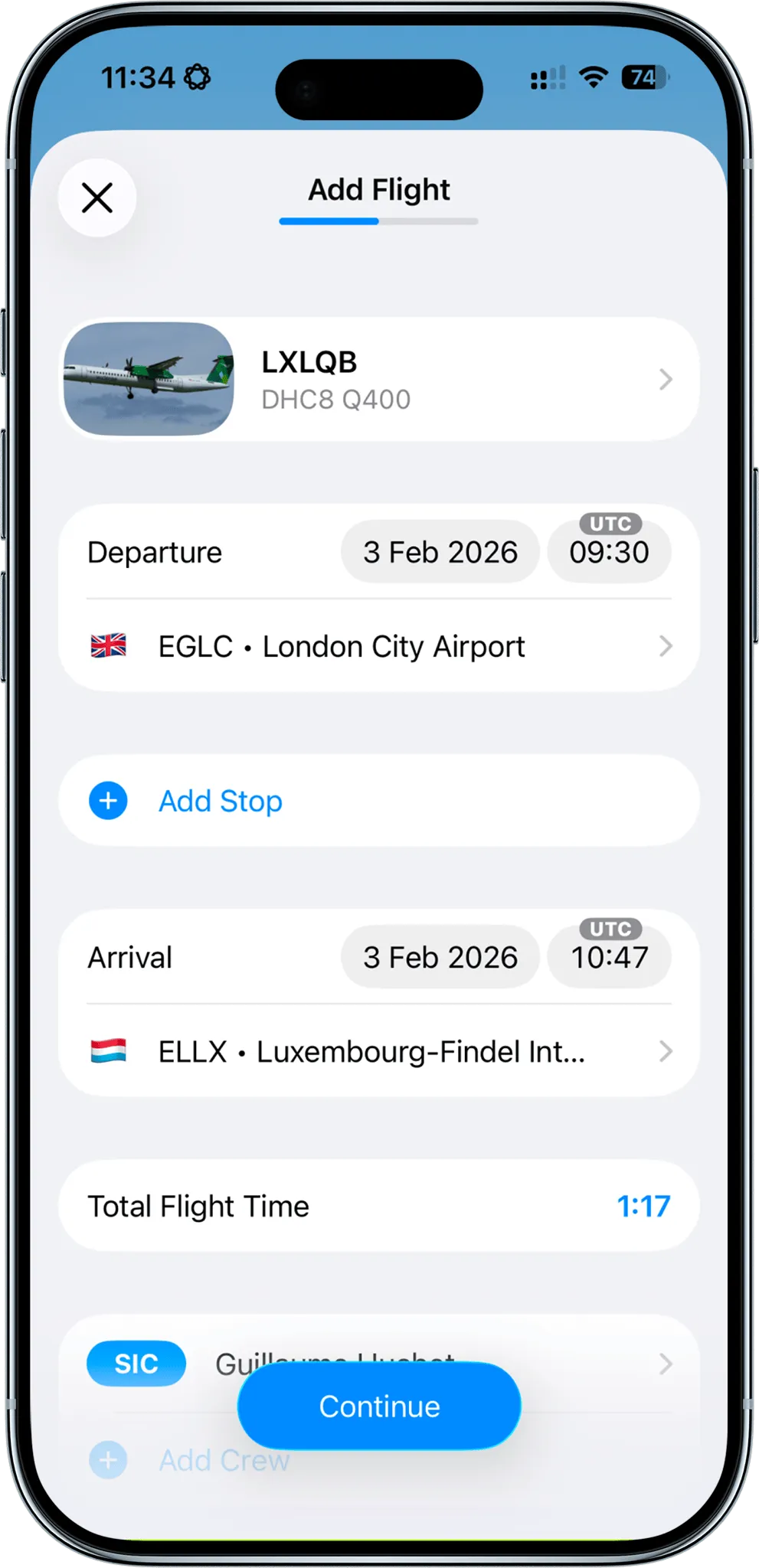
Skyden follows the same process as the checklist above, but removes repeated work. It can reuse aircraft, airports, crew, and roles, then fill role time from the selected crew function. Night time is calculated from civil twilight along the flight path. Flights remain available offline and sync across your Apple devices.
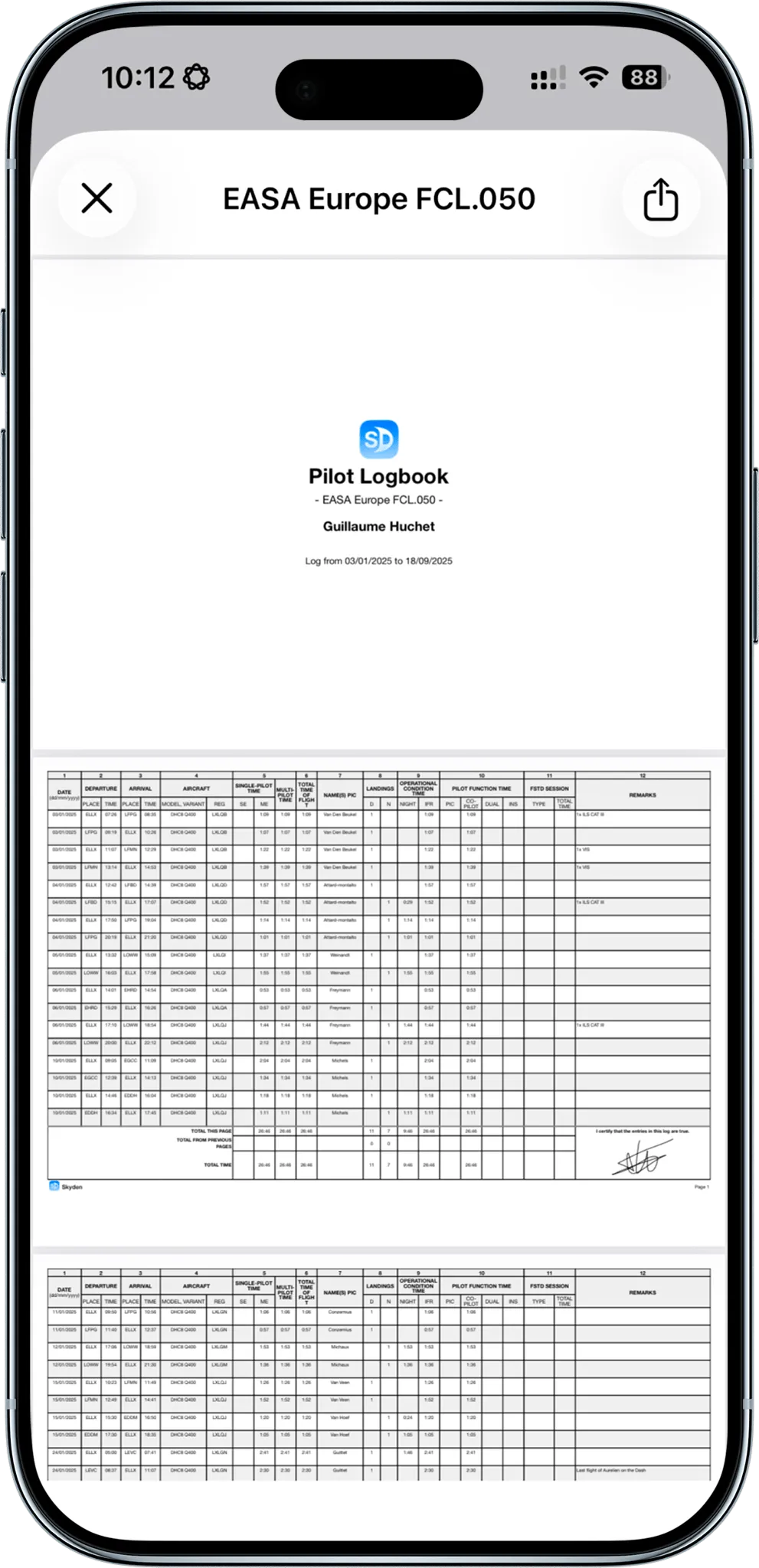
When records need to leave the app, Skyden generates PDF logbooks for EASA, FAA, TCCA, UK CAA, JCAB, GCAA, and CASA formats. You still remain responsible for classifying your time correctly and confirming any additional authority, school, examiner, or operator requirements.
Get your first 20 flight hours free with every feature unlocked, enter a few representative flights, and compare the export with your current logbook before migrating anything.
Frequently Asked Questions
What information should I enter in a pilot logbook?
A complete entry normally records the date, total flight or lesson time, departure and arrival locations, aircraft type and identification, your pilot role, relevant flight conditions, and any required remarks or endorsements. EASA AMC1 FCL.050 also calls for the PIC name, day and night landings, single-pilot or multi-pilot time, accumulated totals, and other authority-specific fields.
Can the same flight time appear in several logbook columns?
Yes. A flight may count simultaneously as total time, PIC or co-pilot time, night time, IFR or instrument time, and cross-country time when each definition is satisfied. Record the flight once, then allocate the applicable categories without adding them together as extra total time.
Can I log PIC while receiving flight instruction under FAA rules?
A certificated pilot may log PIC for the time they are the sole manipulator of the controls of an aircraft for which they hold the appropriate category, class, and type ratings, even while receiving instruction. A student pilot follows a different rule and may log PIC only in the student-pilot circumstances listed in 14 CFR 61.51(e)(4), generally qualifying solo flight.
Are electronic pilot logbooks accepted by the FAA and EASA?
FAA regulation 14 CFR 61.51 does not prescribe a paper format, but the record must contain the required information and be presentable for inspection. EASA AMC1 FCL.050 expressly allows electronic records when they contain the relevant fields, are certified by the pilot, remain readily available, and use a format accepted by the competent authority.
How should I correct a pilot logbook mistake?
For paper records, a transparent correction that leaves the original entry readable, adds the corrected information, and is initialled and dated is widely used. FAA 61.51 and EASA FCL.050 do not establish one universal correction procedure for every personal logbook, so follow any instructions from your authority, instructor, school, or operator. In a digital logbook, correct the entry without creating a duplicate flight and regenerate affected totals or exports.
 Try Skyden Free